The Settings screen (accessed from the main menu) contains three pages/tabs/sections:
- Bedtime
- Activities
- My account
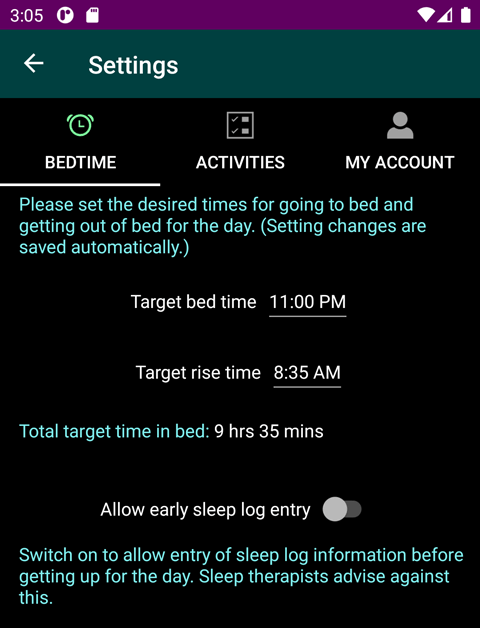
Use the Bedtime page to indicate the time when you normally go to bed and the time when you get out of bed. These times can be recommended by your sleep therapist or they can be typical times that you are in bed. Don't worry if your bed and rise times vary from these typical values. These times are used to group your sleep log and sleep-related activities and into related daily groups. These times are also used to determine if you are on a somewhat typical schedule (where you work/play during the day and sleep during the night) or if you are in a night shift situation (e.g. a vampire).
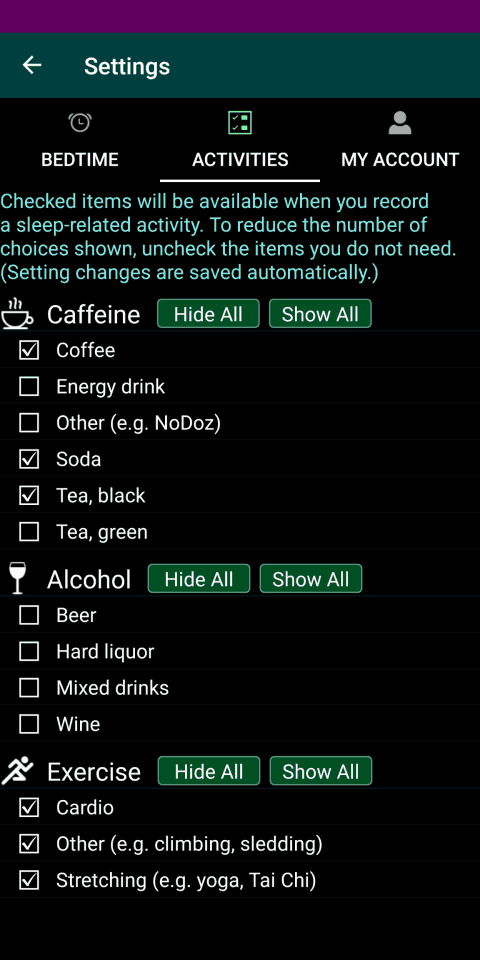
Use the Activities page to specify what choices to show when you are entering sleep-related activities. To and simplify activity entry (by reducing the number of choices shown) uncheck the activities that are not relevant for you. We recommend leaving the Napping activities checked.
Use the My data page to delete all of the sleep logs and sleep-related activities saved on your device.