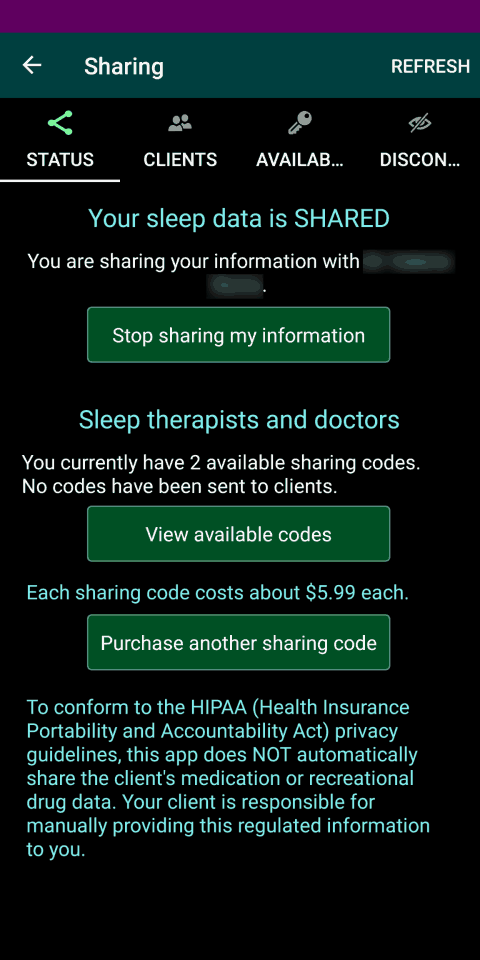
The Sharing screen (accessed from the main menu) always includes a Status page/tab/section. On this Status page you can start or stop sharing your data (normally with your sleep therapist).
If you are a Sleep Therapist or doctor and have previously purchased a sharing code, the Sharing screen contains three additional pages/tabs/sections:
- Clients
- Available codes
- Discontinued codes
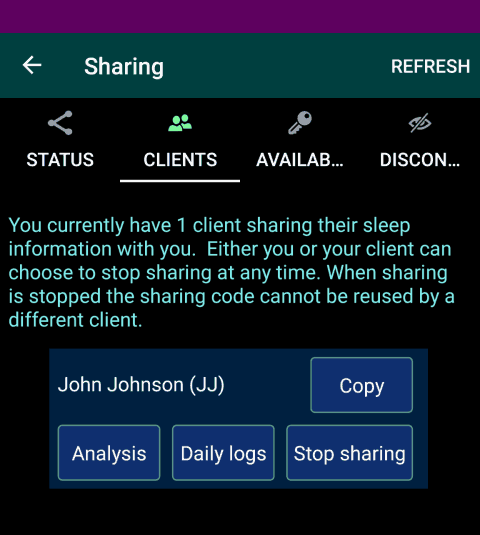
Use the Clients page to see who is sharing their information with you. Buttons are provided to quickly go to the Daily logs or Sleep analysis for any client.
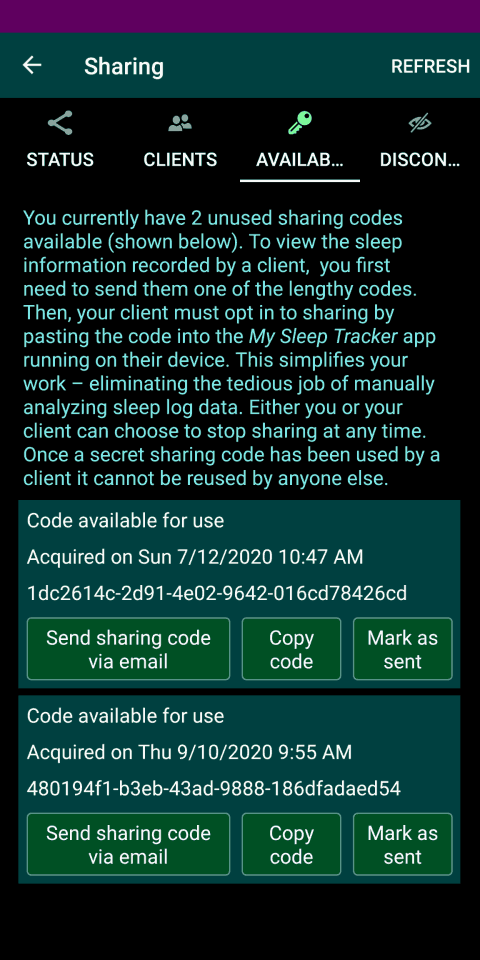
Use the Available codes page to see the secret sharing codes you purchased, but have not yet used. Each code can be used by one of your clients to opt in to sharing. A button is provided to quickly send an available sharing code to a client, so they can start sharing their sleep data with you – by pasting the code into the My Sleep Tracker app running on their personal device.
When a client decides to stop sharing sleep data, the previously used sharing code is moved to the Discontinued codes page. If a code was previously used by a client, it cannot be reused by anyone else. A client who previously stopped sharing information may change their mind and resume sharing by reusing the code you gave them. To prevent this, use the 'Permanently revoke sharing code' button to permanently deactivate the code.
