A key benefit of recording data in My Sleep Tracker is the ability for you or your sleep therapist to quickly identify patterns of sleep behavior, without having to manually inspect and collate the data. After your bed and sleep information for a couple days has been recorded, use the main menu to go to the Sleep Analysis screen of the app. This screen shows a charts or a table assembled from your raw data. Two samples analyses are shown below. The table of sleep metrics is too large to fit on phone screens; drag/scroll vertically and horizontally to see additional metrics.
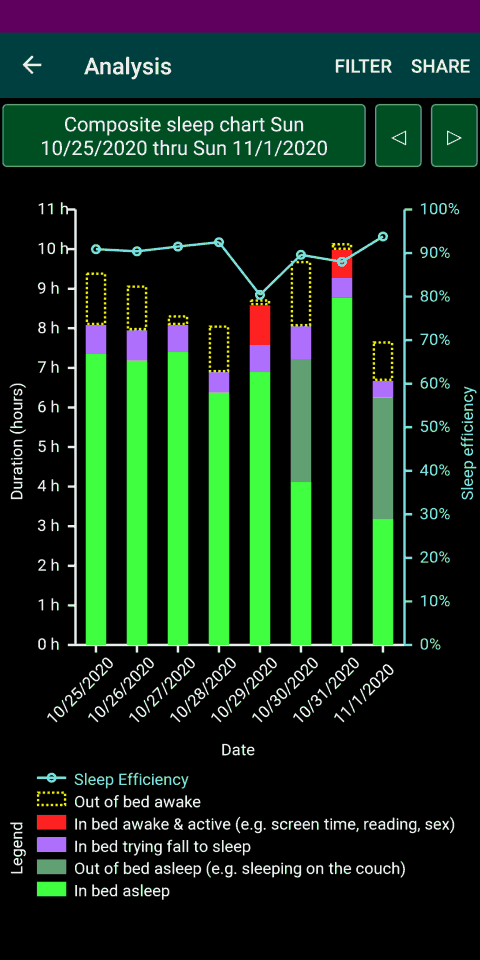
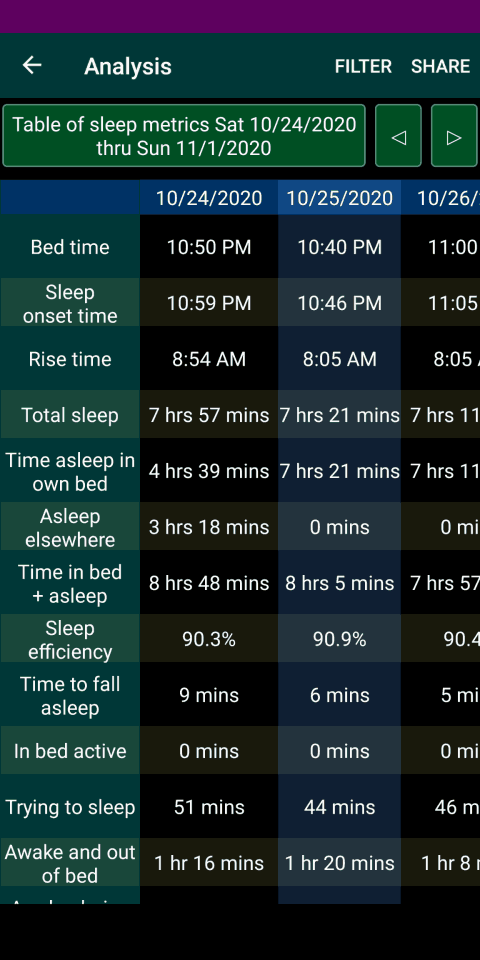
To change what chart is shown or the date range to analyze, tap on the title of the chart or the filter command (on the top of the screen). Alternatively, use the left or right arrow buttons to cycle through all the analyses.
